Notes & Multi-select
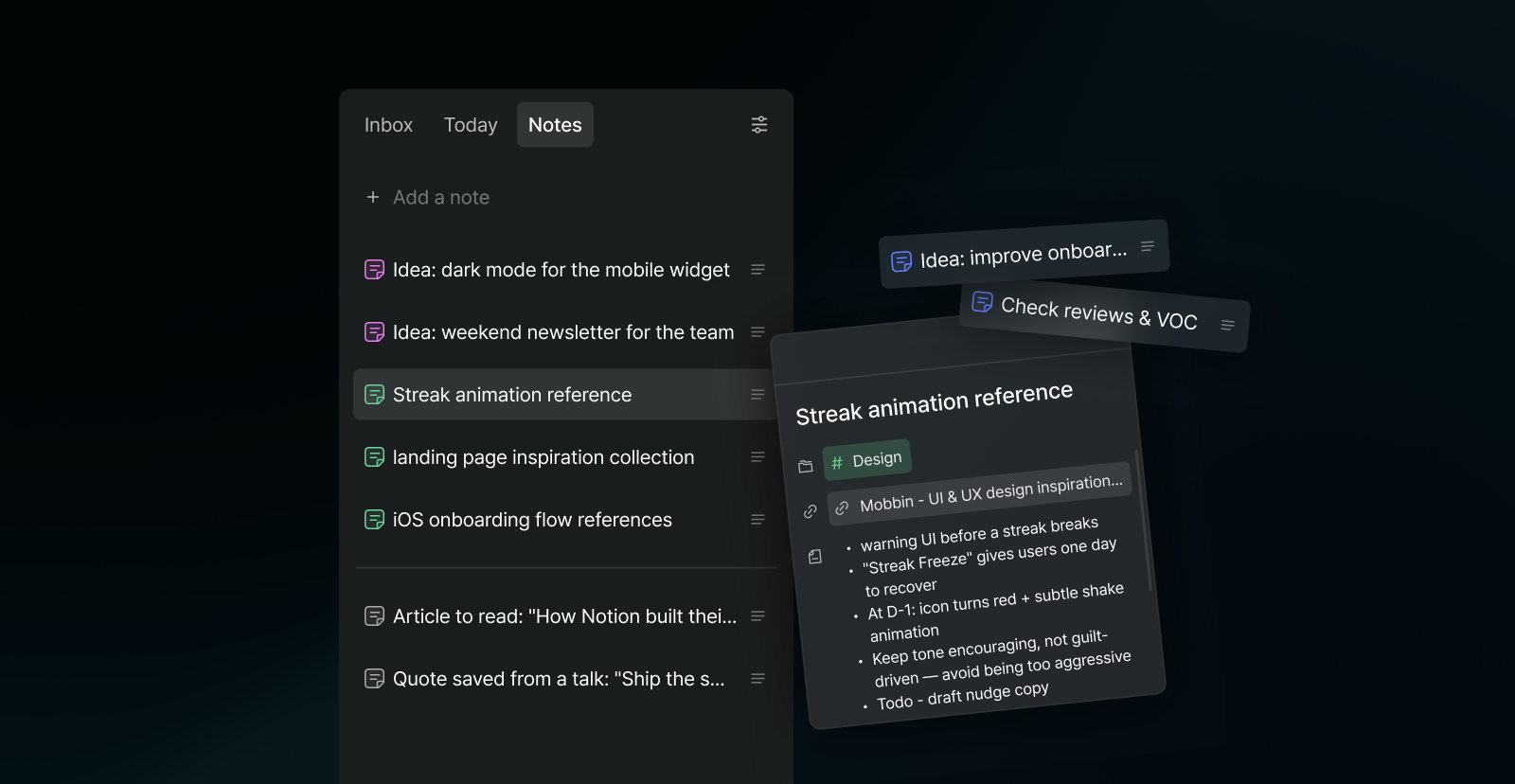
Your Inbox has always been for tasks, things you'll actually do later. But not everything you capture is a task. Articles to read, links to revisit, ideas to keep. Until now, they all had to live as tasks, cluttering your list and blurring that sense of completion.
Meet Notes, a new tab in your Inbox for things you want to keep, not do. Save notes and links to Notes, and when you're ready to sit down with one, drag it onto the calendar. It becomes a task with its own time block. You can also convert any task into a note and back with a right click or from the detail menu, keeping the title, Space, links, and notes intact.
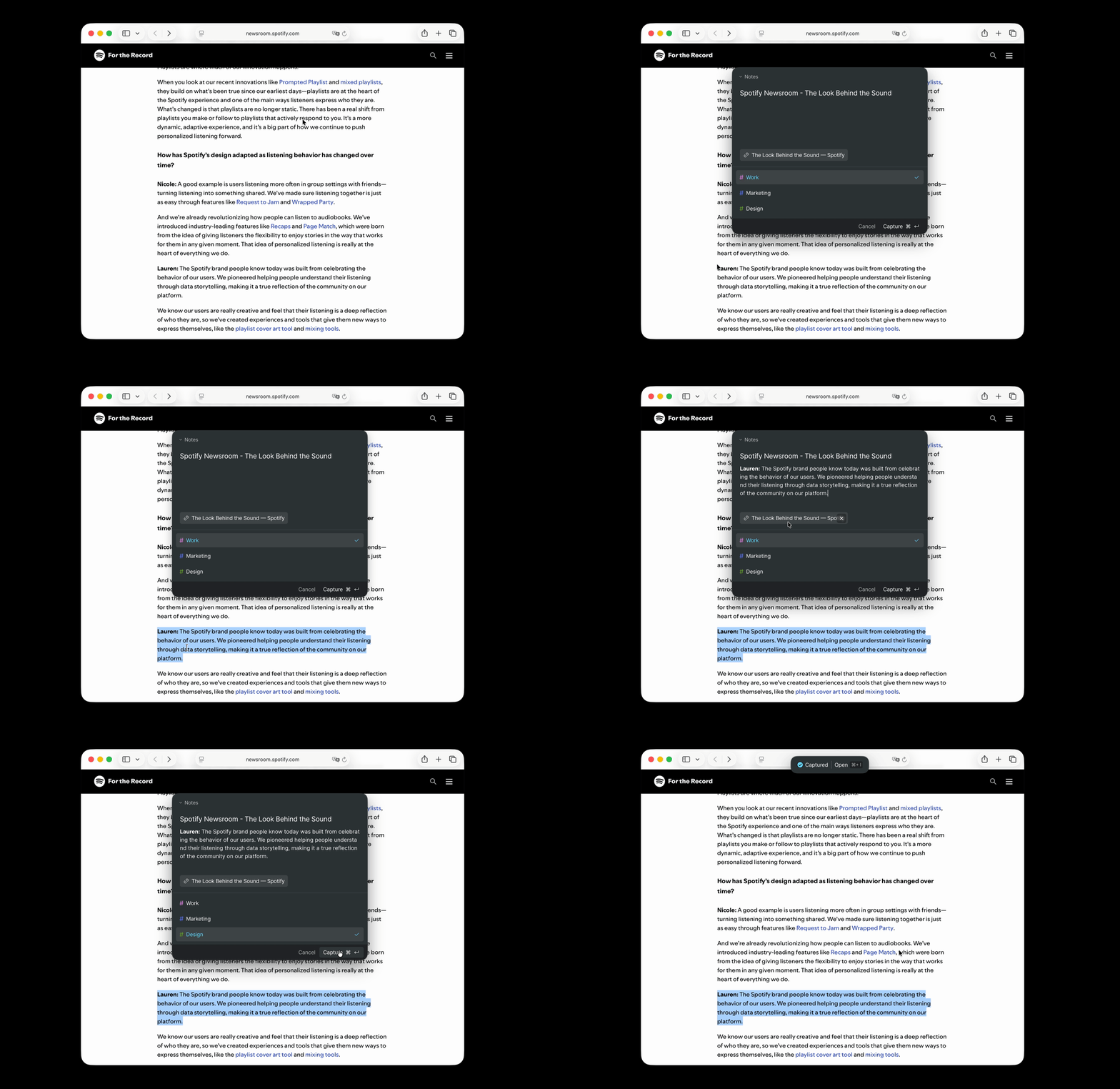
Capturing got easier too. Press Option + Space (Ctrl + Space on Windows) from any screen, even outside Arch, to quickly jot something down. The capture window now has a Notes tab, stays open when it loses focus, can be dragged anywhere on your screen, and automatically attaches the URL of the page you're looking at.
Other Improvements
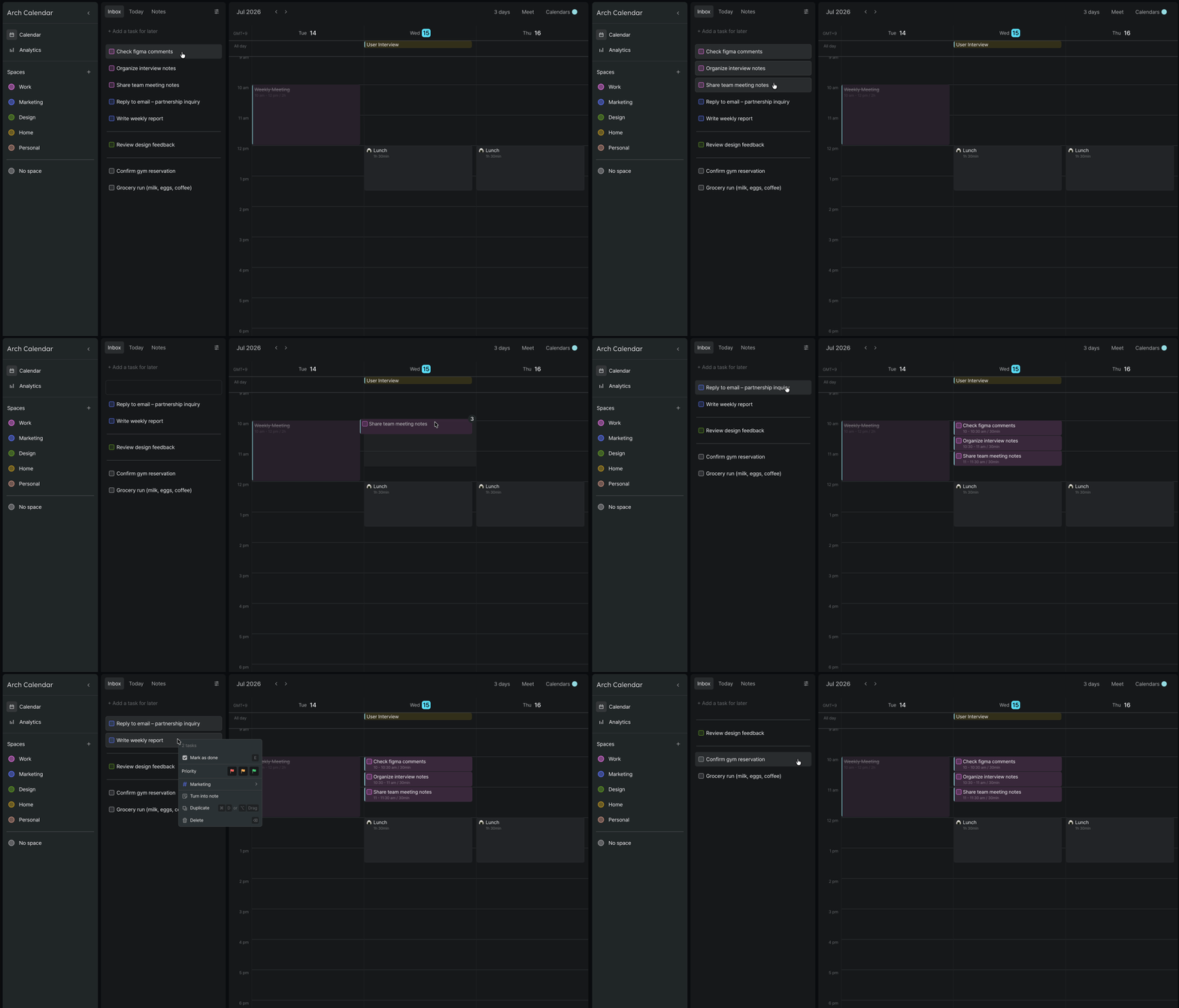
Multi-select: Select multiple blocks at once in Inbox, Today, and Notes. Time-block them together, reorder, delete, or apply right-click actions like done, priority, and Space to all of them in one go.
Haptic on Mac: Dragging, creating, and resizing blocks now comes with a subtle trackpad response on macOS. You can turn it on or off in Settings → Preference.
Mobile
Notes on mobile: The new Notes tab is on mobile too. Save notes and links on the go, and convert them to tasks whenever you're ready.
Monthly Widget: A new large widget shows your month at a glance, right on your home screen.
Lock Screen Widget: Check your schedule without even unlocking your phone.
Space management: Create, edit, and delete Spaces directly in the app.
Faster performance: We fixed an issue where recurring blocks slowed down the first load. The app now opens and runs noticeably faster.