Import tasks from todoist & ticktick
Your tasks are probably scattered. Some live in Todoist, some in TickTick, and the rest are already on your calendar. Keeping three lists lined up is work in itself, and moving them over one by one was never worth the effort.
Now you can bring everything across at once. Open Settings > Integrations, connect Todoist or TickTick, and click Import. All of your tasks land in Arch Calendar, ready to be planned into your day.
From here on, everything you have to do lives in one place.
Other Improvements
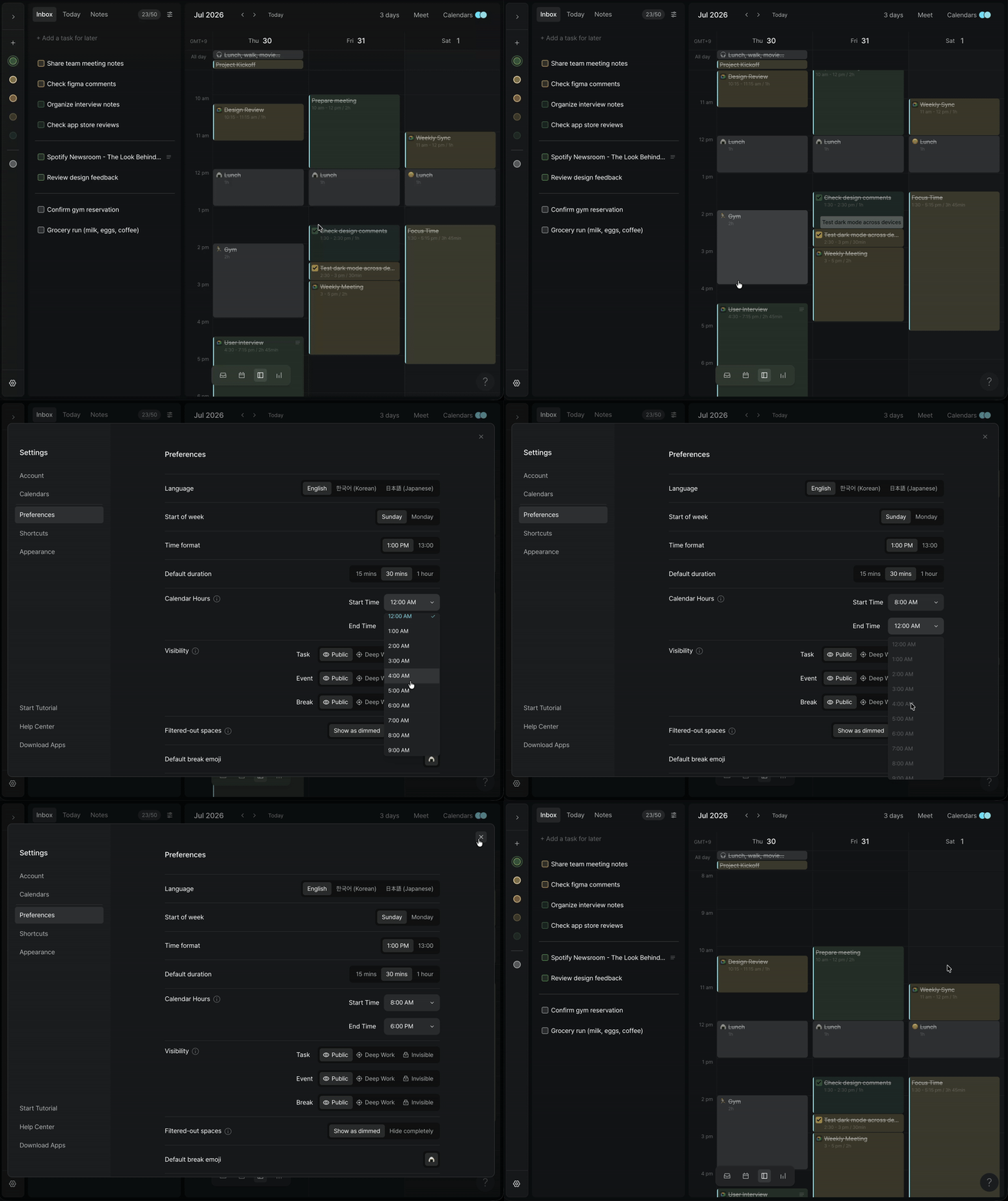
Calendar Start & End Time: Your calendar always showed the full 24 hours, including the early morning hours you never touch. In Settings > Preferences, you can now set when your calendar starts and ends, so you only see the hours that matter to you.
Mobile
Light Mode: Light mode is now available on the mobile app.
Space Management: You can now manage your Spaces directly from mobile.
Various bug fixes and performance improvements.