Arch Calendar is now available on iPad.
Your iPad lives somewhere between your desk and your pocket. It’s big enough to lay out a whole week, and light enough to grab the moment an idea comes to you. Until now, Arch Calendar had no version made for that screen. Starting today, it has one.
The best of desktop, the ease of mobile
We wanted the iPad app to have both: the full experience of our desktop app and the ease of our mobile app. The quick way to build an iPad app is to stretch the phone app onto a bigger screen, but that only gets you half. So we modeled the iPad app on our desktop app. Your Inbox and Calendar sit side by side with room to see your week, and any task can be dragged straight into the time you want to give it.
And the ease of mobile is still there. There’s no laptop to open and no desk to sit at. Pick it up on the couch or between meetings, shape your day with a few taps and drags, and set it down again.
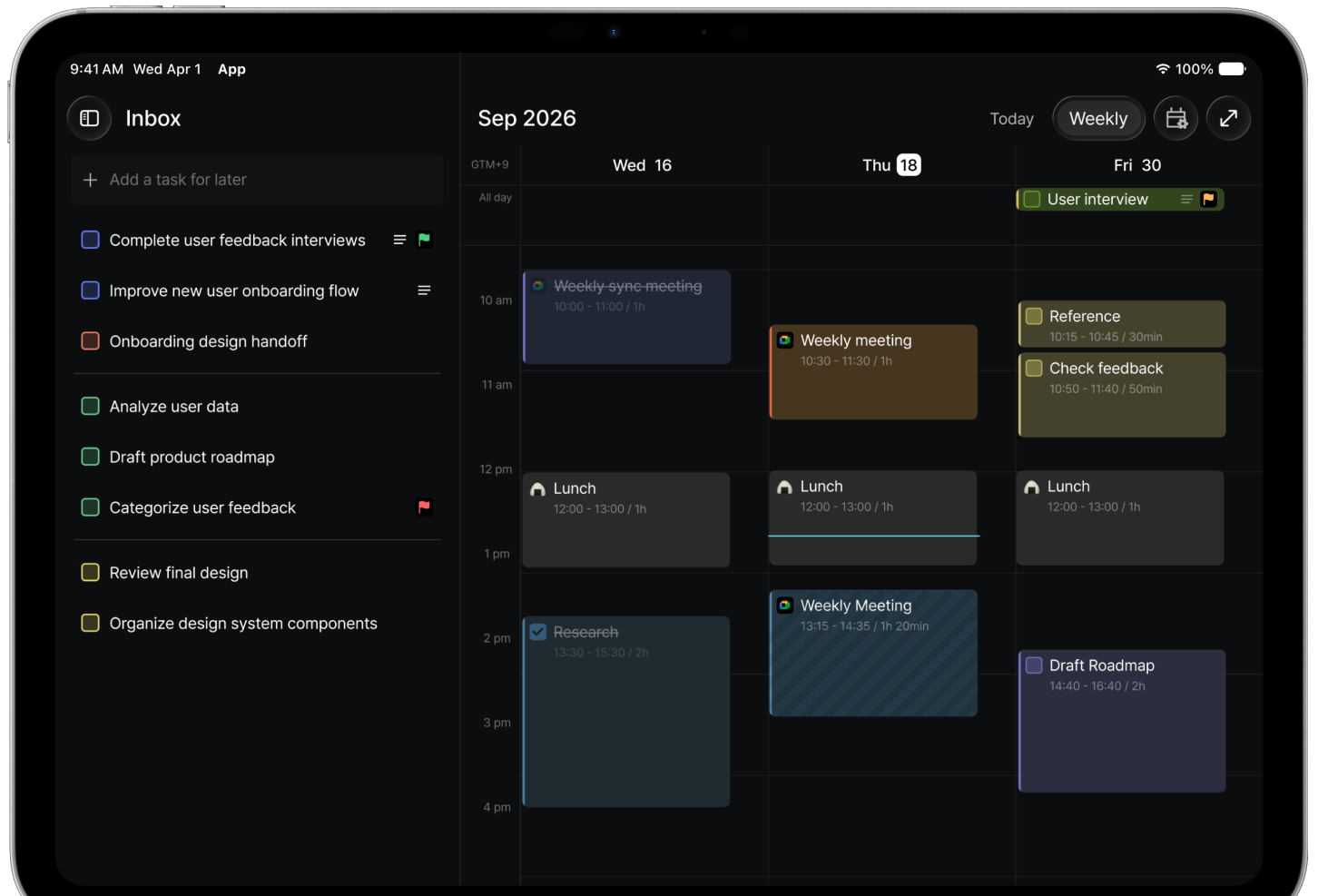
Web, desktop, mobile, and now iPad
Arch Calendar now runs on every platform: in your browser, on Mac and Windows, on iPhone and Android, and on iPad. Everything stays in sync, so the week you sketch on your iPad carries over to your laptop, and a task you add on your phone shows up everywhere else.
Download Arch Calendar from the App Store on your iPad and sign in. Everything you’ve planned is already there.